

Early Access Beta —
iOS Testing Instructions
iOS only via TestFlight • Ends 17 April 2026
⚠️ Important: Please test on a new or duplicated choreography
Because this is a beta version, there may still be unexpected bugs or data issues. Please avoid testing on important choreography files directly. Instead, create a new choreography or duplicate an existing one before testing so that your important work stays safe.
Prerequisites
Please check that these match up before testing:
iPhone/iPad on supported iOS (iOS16.4 and above)
Apple ID matches sign-up
TestFlight installed
1. Install app via TestFlight ✈️
Step 1: Open the invite link on your device
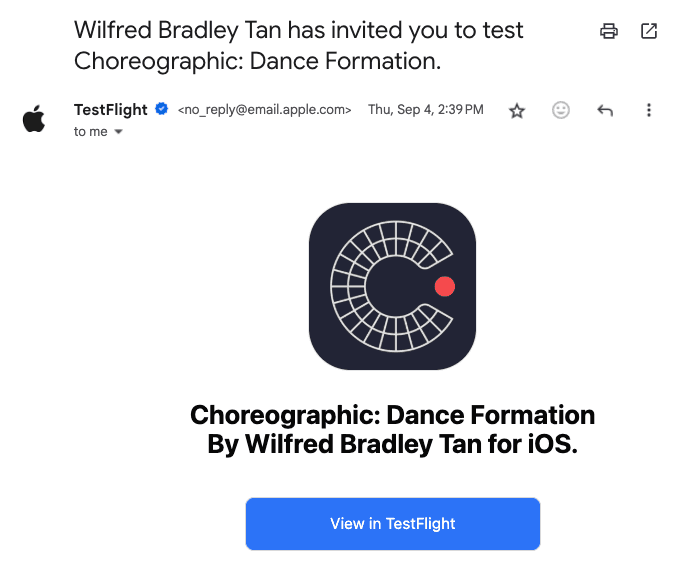
Step 2: Tap Accept → Install in TestFlight

Step 3: Launch Choreographic
Tip: Keep TestFlight installed for updates
2. Upgrade to PRO in the test app (no real charges) ⭐
During Early Access Beta, Pro is tested in Apple’s Sandbox.
* You may see a price, but the purchase sheet will say “Sandbox” and
“For testing purposes only. You will not be charged for confirming this purchase.”
Step 1: Open the Pro screen
On the paywall, choose Monthly or Yearly and tap Subscribe.
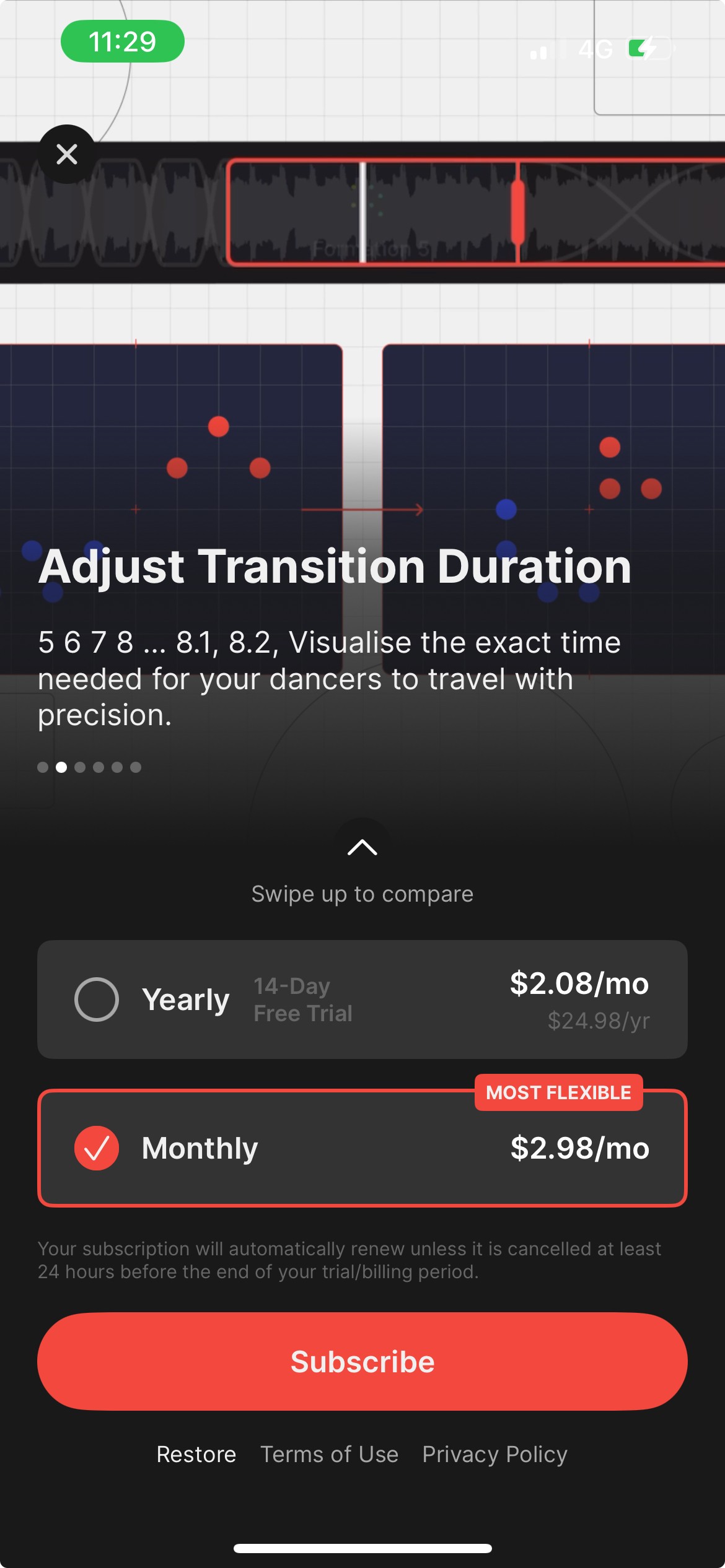
Step 2: Confirm it’s Sandbox before subscribing
* The iOS purchase sheet must show:
Header “Sandbox”
The line “For testing purposes only. You will not be charged for confirming this purchase."
Your tester account email
If you see a normal App Store sheet without “Sandbox,” tap X to cancel. Do not double-click the side button.
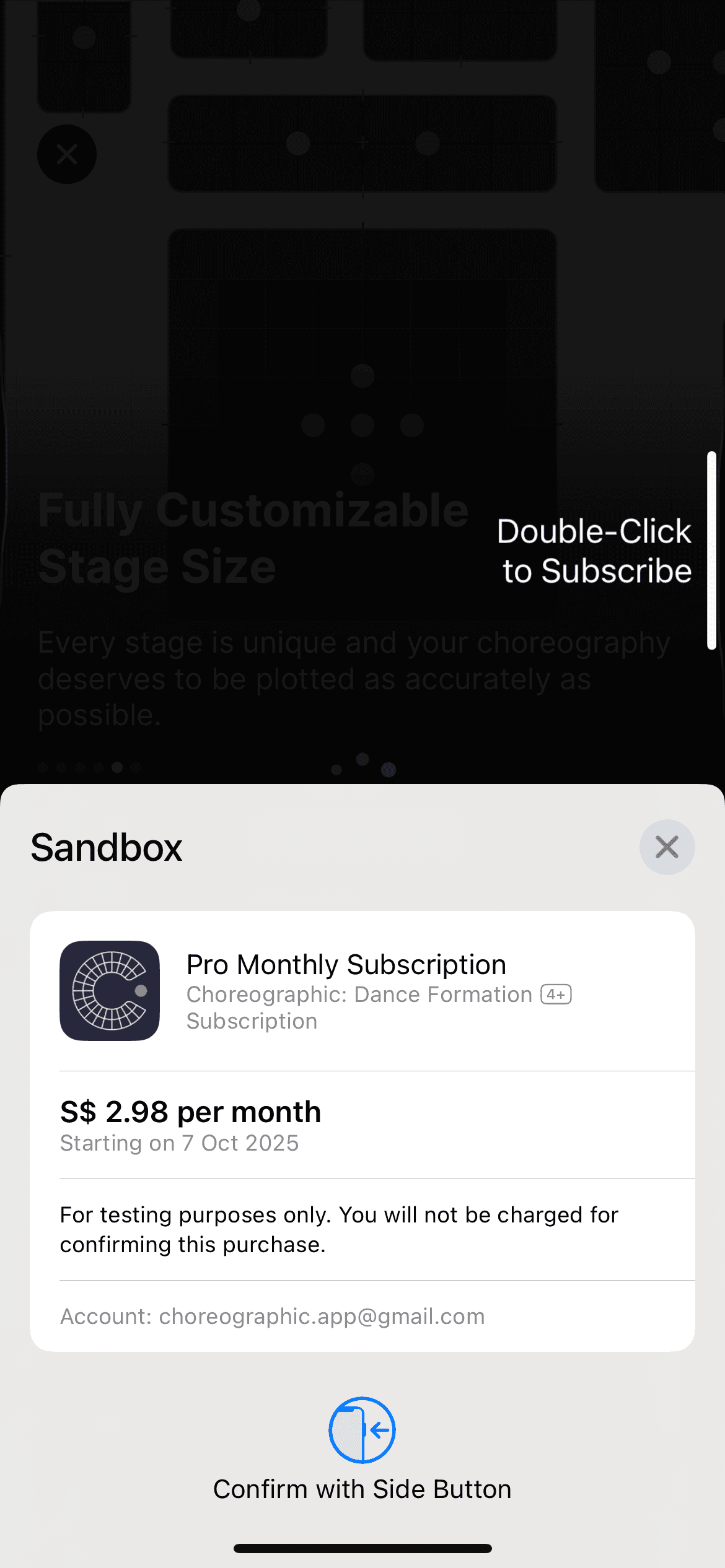
Step 3: Subscribe in Sandbox
If it says Sandbox, double-click the side button to confirm.
No real charges are made in Sandbox.
Step 4: Verify Pro features
Try Pro-only features
Offline edits
Collaboration & Share permissions
Cloud sync
Unlimited choreographies, crews, props
Adjusting transition duration
Syncing music to formations
Etc.
Troubleshooting
If you're not seeing “Sandbox”, ensure you installed the TestFlight build
Check that you’re signed in with the same Apple ID that got the invite
If it still does not work, reinstall from TestFlight and retry
3. What to Test 📝
Here are the main areas to test. If you notice anything else, feel free to include it in the feedback form too.
Offline Edits:
Create a new choreography or duplicate an existing one for testing
Make a few edits while offline
Close and reopen the choreography to check that the edits are retained
Go back online and check that the edits sync correctly
If you use another device, check whether the changes appear there too
Other areas worth checking:
Realtime Collaboration & permissions
Cloud sync
Audio uploads with offline
Folders & organization
Recently Deleted / Restore
4. Submit Feedback
Please submit your feedback through the feedback form button below, thanks!
FAQ / Troubleshooting
If you didn’t get invite → check Apple ID
If you can’t install → check storage/iOS version
PRO locked → Restore Purchases; verify it is in Sandbox mode
If the app crashes → record down the time it crashed and add it to the feedback. Retry the app again
Regional/TestFlight access issues → contact support