
Promo Code Redemption Instructions
⚠️ Important Note
The promo codes will subscribe you to an auto-renewing trial. Do set a reminder to cancel it before the trial ends if they do not wish to proceed with the paid subscription.
For iOS (Apple)
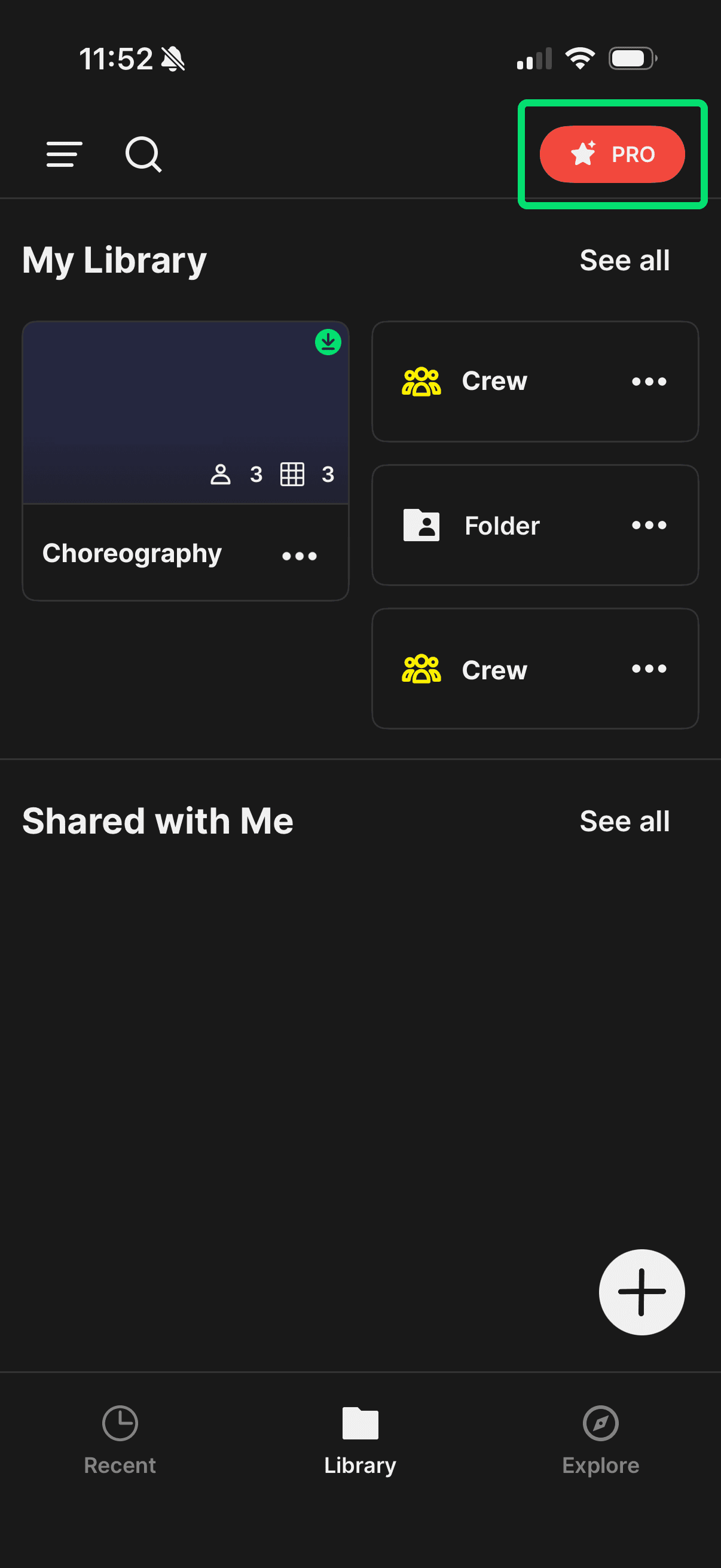
Step 1: Download Choreographic. On the dashboard, tap on the "PRO" button
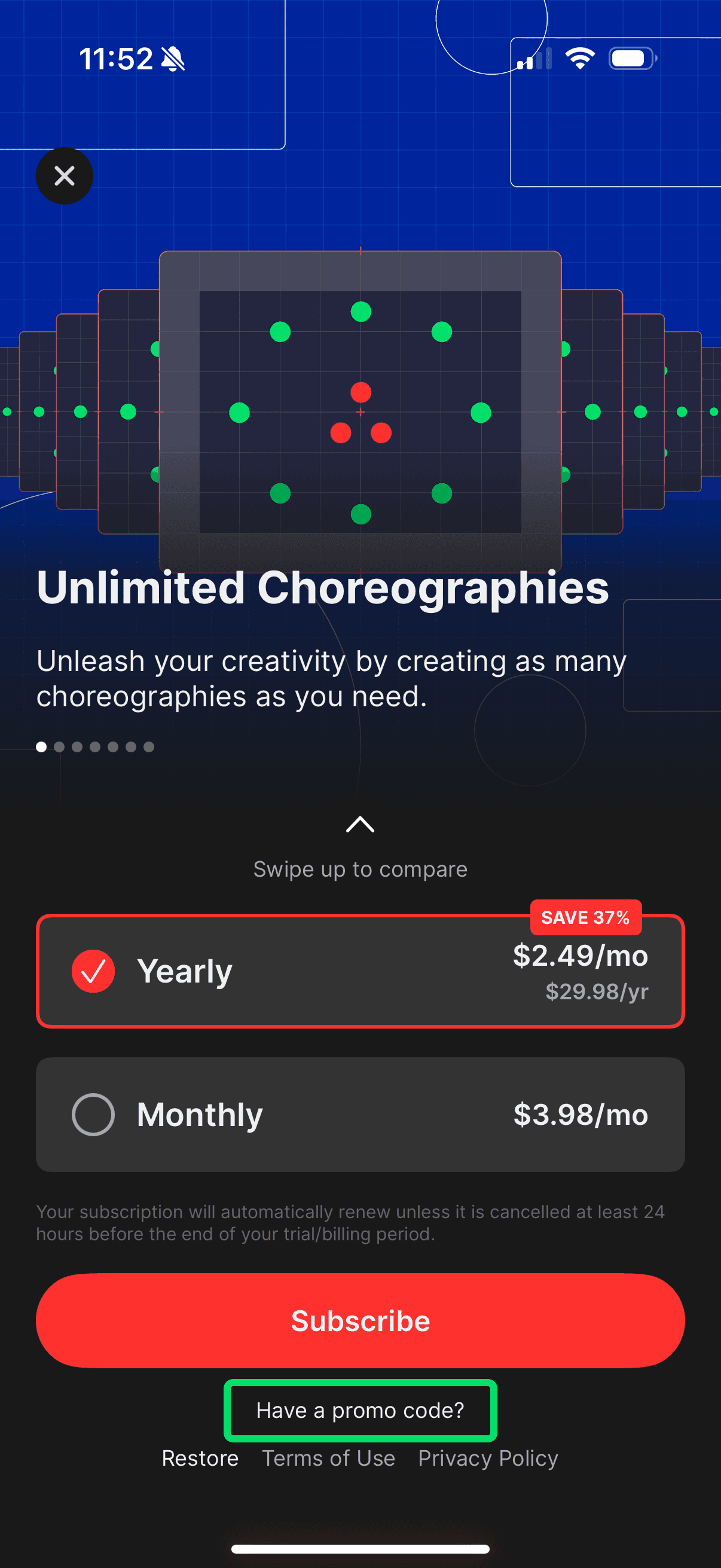
Step 2: Tap on "Have a promo code?"
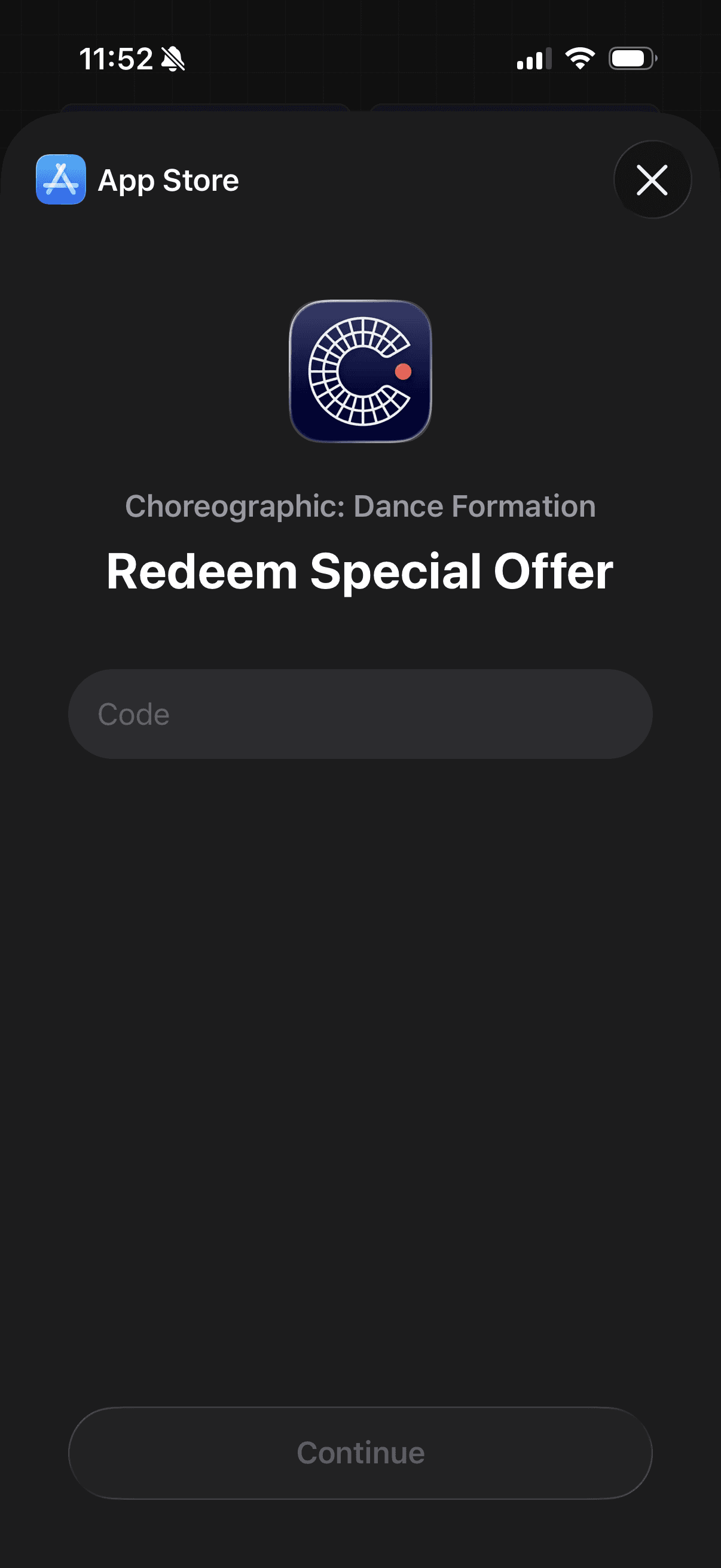
Step 3: Enter code and continue
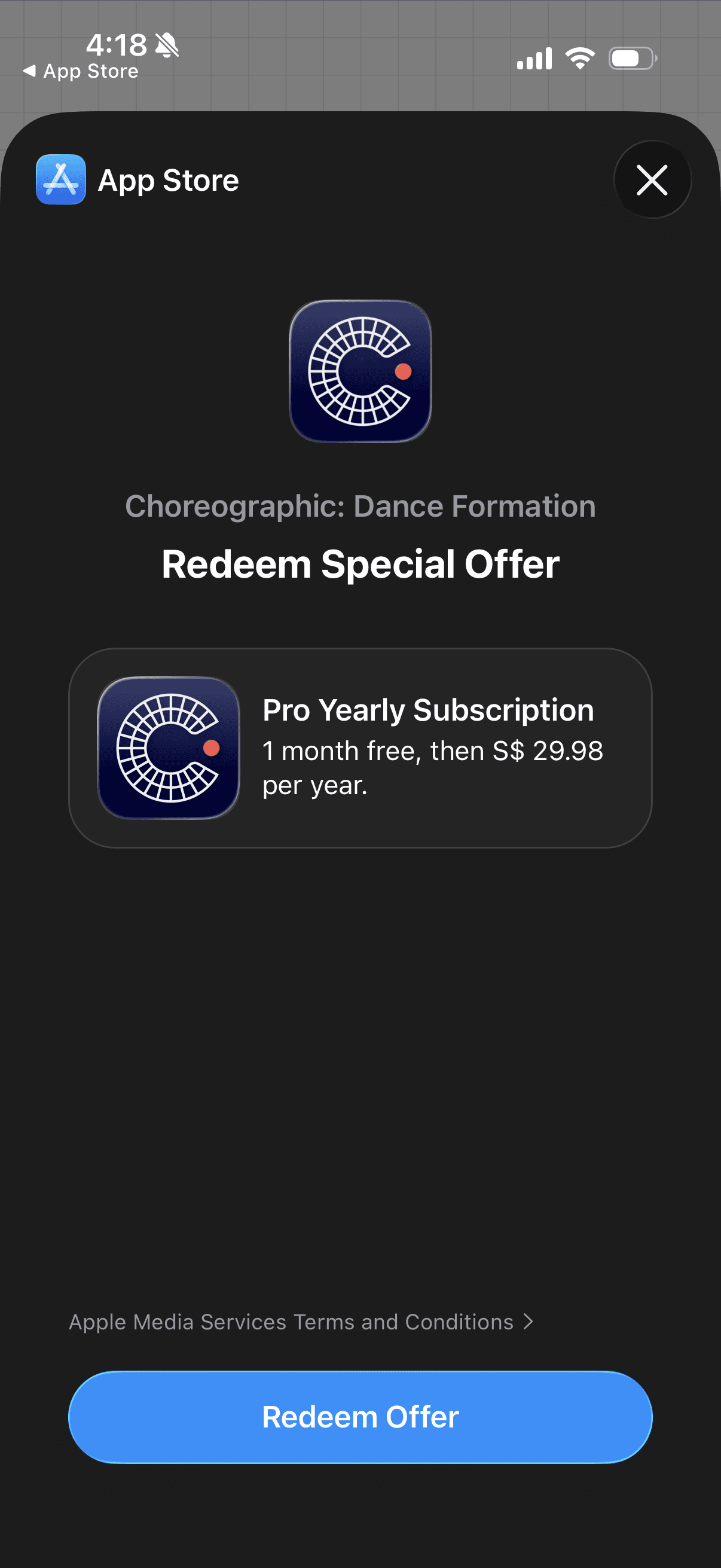
Step 4: Tap on Redeem Offer
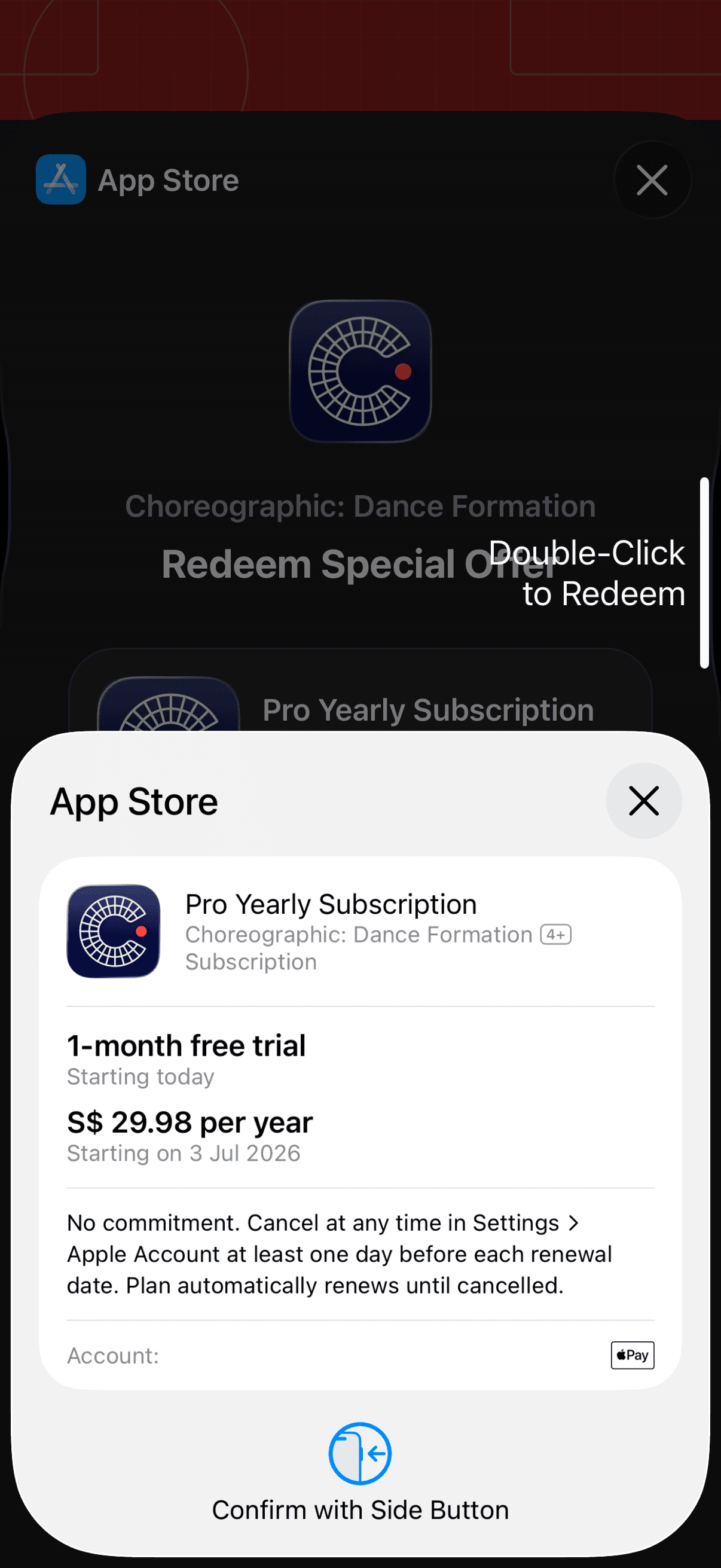
Step 5: Double-click to confirm the redemption
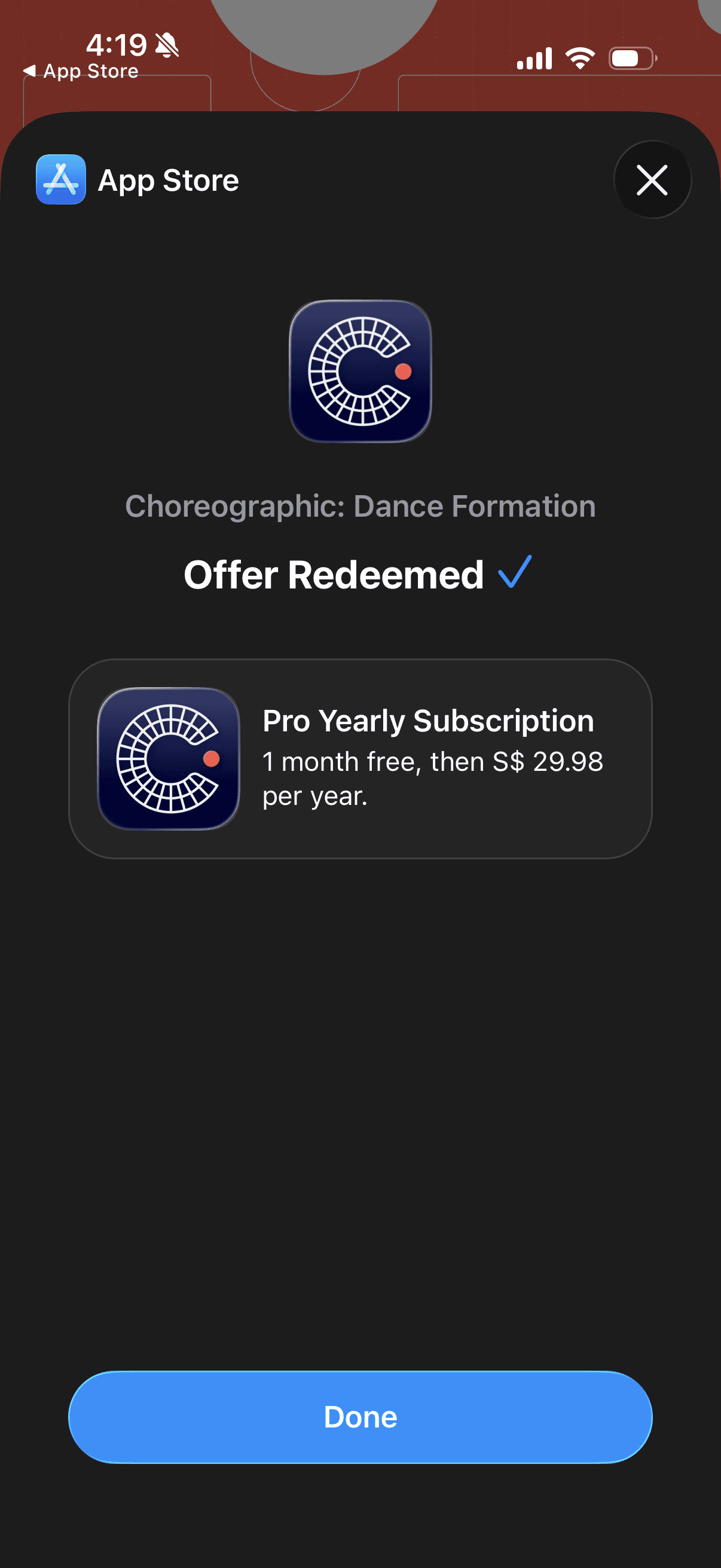
Step 6: Finish redemption
For Android (Play Store)
On your Android phone or tablet, download and install the app.
Step 1: In the app for your subscription, find the subscription your code applies to.
Step 2: Go through the checkout process until you reach the payment method listed.
If you don't have a payment method: add one.
Step 3: Next to the payment method, tap the Right arrow .
Step 4: Tap Redeem code.
Step 5: Enter your code, then follow the on-screen instructions.
Step 6: Confirm that your purchase uses the promotion.
Step 7: Tap Subscribe.
For support, please contact:
help@choreographic.app